

 English
 简体中文
简体中文 Español
 हिन्दी
 العربية
 Português (Brasil)
 Français
 Русский
 日本語
日本語 Deutsch
 Bahasa Indonesia
 한국어
한국어 Türkçe
 Italiano
 Tiếng Việt
 ไทย
ไทย বাংলা
বাংলা اردو
اردو فارسی
فارسی Polski
 Українська
 Nederlands
 Bahasa Melayu
 Filipino
 繁體中文
繁體中文 Română
 Ελληνικά
 Čeština
 Magyar
 Svenska
 עברית
עברית Қазақша
 Oʻzbekcha
 Azərbaycanca
 Kiswahili
 Dansk
Dansk Suomi
SuomiCalculators
Proportions
The proportion “a is to b as c is to x” and scaling a recipe to any number of servings.
You can always download our app to your phone and keep it at hand.
Try it right here
A web version of this mode is on its way, so you'll be able to calculate right on the site with nothing to install. Until then, it's waiting for you in the app.
What it calculates
Our proportion calculator online solves the proportion a : b = c : x. Leave any field empty and it gets calculated. If all four are filled in, the calculator checks whether the proportion is true.
On the “Recipe” tab you can rescale up to six ingredients for a different number of servings, handy when the recipe is for four and six people are coming.
- Proportion a : b = c : x. Leave any field empty
- Proportion check: equal or not equal
- Recipe: servings you have, servings you need, and up to six ingredients
How to use it
- Choose “Proportion” or “Recipe”.
- For a proportion, fill in three fields and the fourth is calculated.
- For a recipe, enter the servings and the ingredient amounts, and Calcie rescales everything.
Example
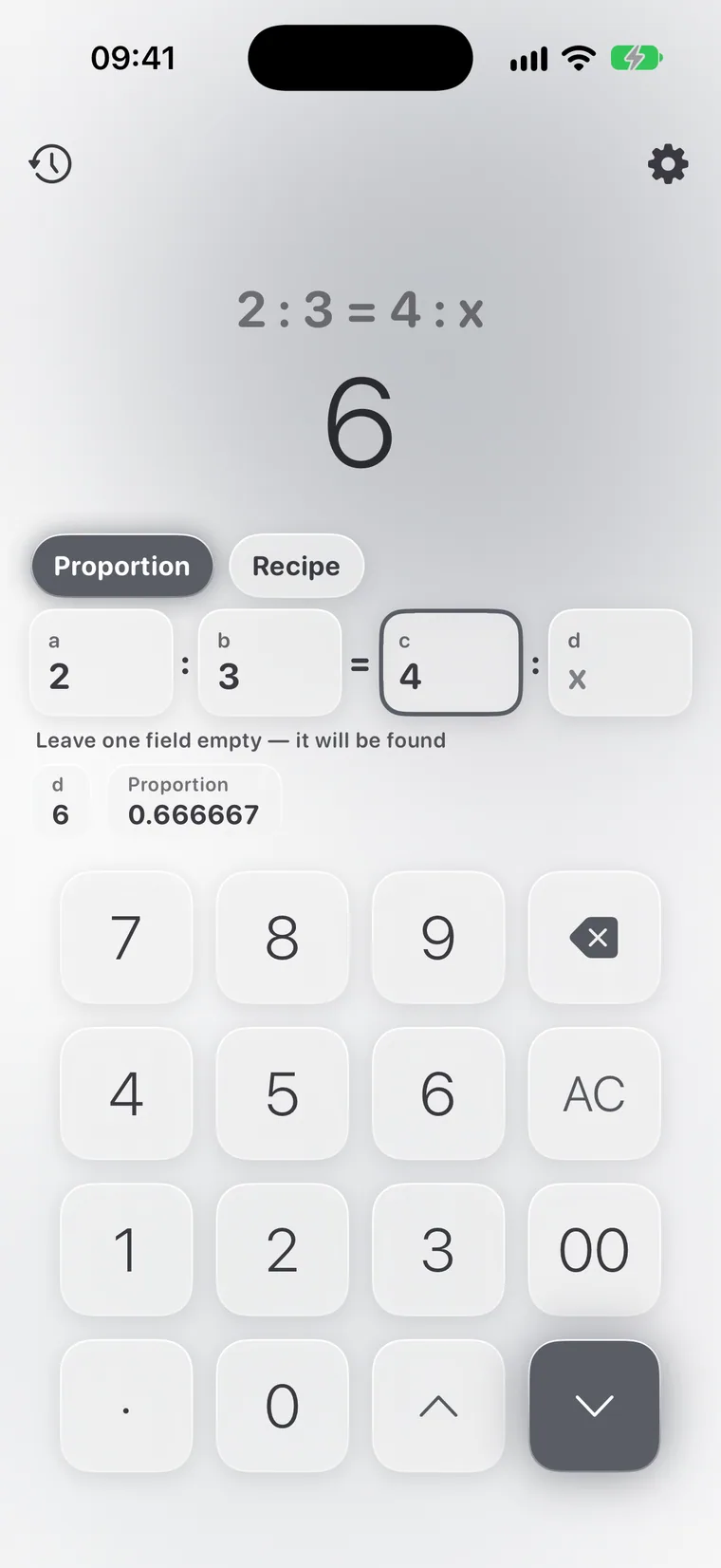
FAQ
How do I scale a cake for 6 servings instead of 4?
On the “Recipe” tab: have 4, need 6, and every ingredient gets multiplied by 1.5.
What if I fill in all four fields?
Calcie checks the proportion and tells you whether it holds.
How do I solve a proportion problem?
Write the condition as a : b = c : x. For example, 3 kg cost 450, so how much do 5 kg cost? Enter 3 : 450 = 5 : x and you get 750.
Does the “Proportions” mode work offline?
Yes. Calcie does all its math right on your device, so the mode works on a plane, on the subway and out of town. Nothing is sent to any server, and the answer appears instantly.
Is “Proportions” available on iPad and Mac?
Yes. On iPad the mode has its own layout with larger fields, and on a Mac with Apple Silicon Calcie runs in its iPad version and works from the keyboard. Your Premium purchase applies on every device signed in with your Apple ID.
How do I switch to the “Proportions” mode?
Open the modes menu, the icon at the top left of the calculator's main screen, and choose “Proportions”. Calcie remembers your choice: next time the app opens right in that mode.